


Poco F2 Pro + GCam Destroys Sony Mirrorless
/A One Trick Poney
Normally I enjoy using my Sony A6500 for photography but photographing lightning was always frustrating. You end up with long exposures and blown out parts, or you spend hours in photoshop blending images. But I have found the solution to this specific issue in photographing lightning.

Often times trying to balance lightning with ambient light can be difficult
Poco F2 Pro + GCam + Night Mode + Astro Mode
After Google announced of astro mode for the google pixel, GCam fans news that they were going to have something special. At the forefront of the Gcam development has been Xiaomi community devs who have flawlessly ported astro mode to the Poco F2 Pro. GCcam on the Poco F2 Pro allows us to capture lightning using the mode meant to capture stars.

What We Learned After Using Microsoft Apps For One Week
/When thinking about phone software, users usually take their Google apps for granted. From Google Play, Google Translate to Google Chrome, many of us may never bother to see what other technology companies may have to offer. With curiosity in mind, we replaced all our Google apps with Microsoft Apps for one week, hoping to find useful apps we may have never come across otherwise.
Bing
Did we keep it: No

Microsoft’s infamous take on the Google search engine, Bing offers an aesthetically pleasing application. With the ability to quickly snap a photo of something and search for it, as well as a detailed privacy search setting, our initial impressions of the application were very positive. Very quickly however, we found that the speech detection feature was extremely flawed, rarely correctly detecting our voice.
Furthermore, unlike Google Chrome or Safari, which quickly separate incognito and normal tabs, Bing’s “tabs” feature was a bit too confusing for our likings. What this amounted to is an app that is good for basic text searches, but for the quick speech-based search, which we find ourselves doing a lot of, it simply didn’t make the cut.
Edge Browser
Did we keep it: Yes

Perhaps the biggest surprise of our experiment, we found Microsoft’s Edge Browser to be more functional than Google Chrome. Packing a very minimalistic interface, as well as a quick to understand layout, we have never browsed as fast as we did during this experience.
Where Edge really shines however, is with its slew of extra features, with the most notable one being a continuity feature that allows you to quickly continue your Android search on your Windows computer.
Here Maps
Did we keep it: No

Here Maps is an app that we wish we could love. It has a very nice design language, something we noticed across most of Microsoft’s apps, and is extremely responsive. Here Maps also offers a very intuitive offline feature that works better than the competition, a feature that could save users some data as well as direction in situations where connection may simply not be available.
Where Here Maps really fails is in its attention to detail. In Vietnam, where we are located, motorcycle and car specific roads exist, and with Here Maps not being as developed as Google maps, it simply wasn’t able to tell the difference. We imagine that it might have better integration in other countries, but for users in our case scenario, the lack of attention to detail could potentially lead users to legal trouble as they enter a road they were not supposed to.
Microsoft Launcher
Did we keep it: No

A very clean, smooth, and functional launcher - The Microsoft Launcher is lovely. The daily tasks section as well as the calendar featured in the app create an experience that just feels more productive. While we would love to keep this launcher, it simply does not function well with the gestures featured in Xiaomi’s latest software update, making using it rather frustrating.
For those not on Xiaomi phones, this won’t be a setback, letting you access an experience that feels very appropriate.
One Drive
Did we keep it: No
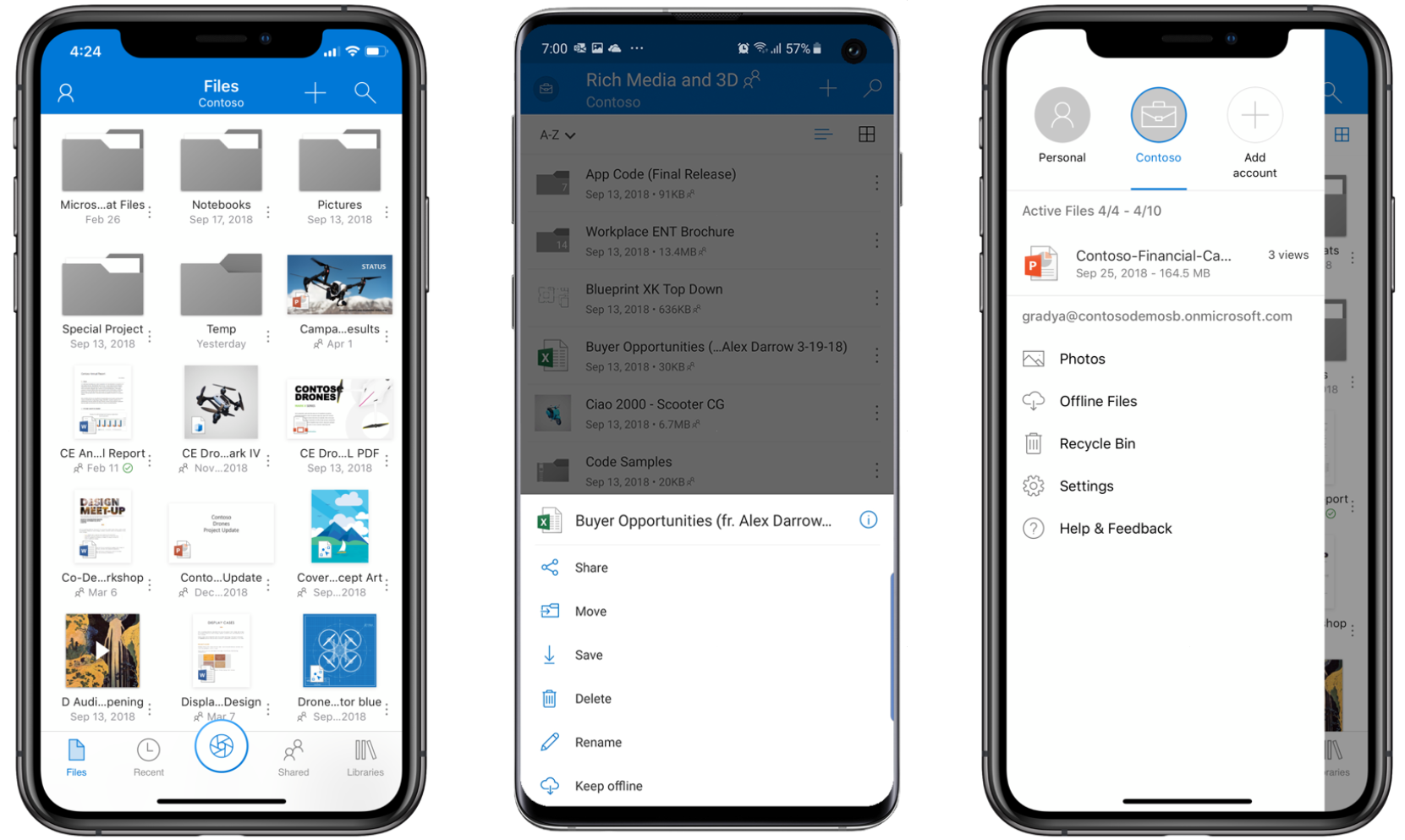
There isn’t much that sets One Drive apart from other solutions such as Google Drive or Dropbox. This is fine, as it means that One Drive works fine, but in our case, where we already used something before, there simply isn’t a need for this app on our phone.
OneNote
Did we keep it: Yes

Being the direct competitor to Google Keep, OneNote offers a clean, simplistic and productive way to keeping field notes. We’ve been long looking for a more productivity varient to Google’s app, so this was a major win - with no noticeable setbacks either.
The inclusion of different notebooks creates a more convenient and organised way of taking notes, and makes us feel like the inclusion of this app in our daily lives will lead us to become more productive.
Outlook
Did we keep it: No

Outlook is significantly more organised than Gmail, but it has one main flaw: The reminders feature that it likes to boast about simply doesn’t work. In our experience, with a massive need for a reliable way to keep upcoming events due to our tight work schedules, we were looking to this feature, but it simply did not work.
In conclusion, using Microsoft apps instead of Google apps for one week was definitely a welcome change. It taught us about what Google excelled at that we simply took for granted, and showed us a little bit of what other companies can do better than what we were previously used to.
Would you like to know about our experience with these apps as well as a few others? Watch our video!
The Cleanest Xiaomi Product Ever: Mijia BET-C01 Electric Toothbrush Review
/When reviewing technology products, people often loosely say that it “improves your life” but what if this catchphrase was the core of the experience? Enter the Mijia BET-C01 Electric Toothbrush, Xiaomi’s take on a popular consumer market that packs the company’s best aspects: affordability, availability, and convenience.
Available at around $27, the BET-C01 electric toothbrush is easily justifiable, but it doesn’t scream cheap. Upon unboxing, you will find a beautifully designed toothbrush that looks just as you would expect. Most importantly, the materials used on both the toothbrush itself and its handy carrying case are solid, giving us the impression that we can trust this product to last right from the start.

In Vietnam, where we are based, replacement heads for the BET-C01 are readily available. We believe that in other Asian countries were websites such as Ali Express are widely used, consumers may also find this point to be especially important. The availability of replacement heads at an affordable price ensures that the BET-C01 is a one time purchase product, something that could not be said of other equally sophisticated, but not as widely replaceable options found in Asian markets.
But Xiaomi’s product line is built on convenience, and even with its BET-C01 electric toothbrush, Xiaomi is able to deliver. With two modes of use, offering slow and fast cleanup solutions, this is a product that should feel comfortable to most users. Where it truly shines however, is with its battery life and charging capabilities. Offering over 2 weeks of battery life, charging is barely an obstacle, and when it is, the non-proprietary USB cable means that you can even charge this product using your power bank - this simply cannot be said of other electric toothbrushes on the market that use those bulky, proprietary chargers.
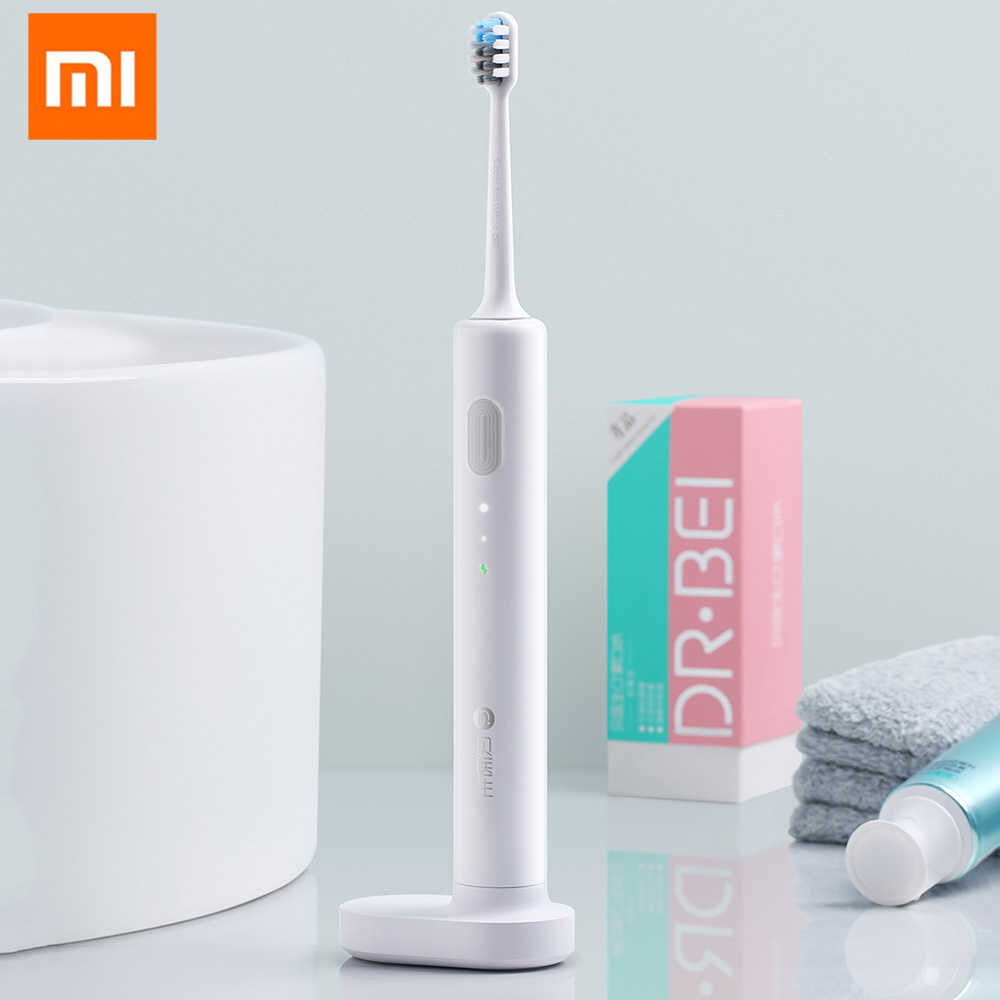
Furthermore, unlike some other attempts at electric toothbrushes, the BET-C01 doesn’t offer Bluetooth or a proprietary app. This is great, because while we welcome technology reaching new corners of our lives, we like our hygiene products simple and Bluetooth-chipset free. This also allows the BET-C01 to come at such a great price, avoiding the $50 and above price tags often reached by more “tech-enabled” options on the market.
At the end of the day, these points may not sound as impressive as some of the claims we make on phone reviews, but it is important to remember that for most users, there aren’t that many expectations when it comes to toothbrushes. The fact that most will simply expect it to work, means that its affordability, availability and convenience will come as surprises that help set this product apart from the rest, making this a solid purchase!
Want to watch a video version of this article? Click here
Want to read about the K20 Pro Evolution X ROM? Click here
Where To Download GCam For The Poco F2 Pro
/
Poco F2 Pro And Sony A6500
The poco f2 pro has a really good camera but as we know from the redmi k30 pro, the poco f2 camera could be a lot better with gcam. The poco f2 camera has finally been unleashed with the powers of gcam and the poco f2 camera has had a gcam port made for it. Here are some pictures we have taken with the poco f2 pro and gcam over the last few weeks.


If you are looking for gcam for the poco f2 pro or if you are looking to download gcam for the redmi k30 pro have no fear. You can get gcam for the poco f2 pro and gcam for the redmi k30 pro here!
The 72HZ K20 Pro: Evolution X ROM Experience
/With the release of the K30 Pro, many smartphone enthusiasts have voiced two complaints: an un-fondness of Xiaomi’s software, and disappointment that Xiaomi’s latest skipped out on the 2020 quintessential high refresh screen. By installing a beloved ROM and overclocking the screen on our K20 Pro, we got a quick glimpse of what the K30 Pro could’ve been - and we really enjoyed it.
We have always been avid believers in bootloading your Xiaomi phone, it’s the best way to tap into a community of developers that truly aims to deliver an experience that matches your needs. The Evolution X ROM is no different, aimed at those who wish they could get the essential feel of a Pixel phone with a tad bit of customisation. This is a smooth, simple, clean experience with no hassles.

In terms of customisation, although the Evolution X ROM does not allow any features that completely sway from the Google vibe it aims to recreate, options such as the shape and size of icons still allow for creative home screen designs to take place with ease. Yet despite reaching the same levels of simplicity that get many to buy Google Pixel phones, is this ROM necessarily better?
On one hand, it created this lighter atmosphere that made us feel like our phone was created to perfect basic tasks. Getting to what we wanted to do was always simple and in reach, eliminating the distraction that comes with more crowded ROMs. But this doesn’t necessarily make it better, because to some, ourselves included, the extra quirks that come with a ROM resembling Xiaomi’s own makes us feel as if our phone is more capable, instead of simple.
While one’s ROM of choice comes down entirely to preference, what about overclocking the screen? Surely, having a smoother experience is objectively better, right? Well, we had mixed feelings here too. The experience was significantly smoother, with scroll-based apps such as Instagram feeling more refined, but that’s all it was, a more refined experienced, not a better one in any way. In other words, although scrolling through Instagram felt smoother, it wasn’t any better than it was before - it was still just scrolling.
And when you consider that overclocking your display may come with some sacrifices such as battery efficiency, it becomes really important to ask: if phones are meant to be used as tools, presumably ones that last us all day, is it worth sacrificing its longevity for a few moments of glamour? We don’t think so, which is why we are so satisfied with our new K30 Pro, but so some, perhaps smoothness makes all the difference.
What do you think, would you sacrifice functionality for simplicity? How about longevity for glamour? Let us know in the comments below!
To watch a video version of this article, click here
To read on Xiaomi’s recent security fiasco and why it shouldn’t bother you, click here